
Most of you are probably already aware that yesterday, Pokémon Brilliant Diamond and Pokémon Shining Pearl finally made their appearances out in the wild. Pokémon fans get to play these remakes of beloved DS classics from close to twenty years ago until Pokémon Legends: Arceus makes its way to the Nintendo Switch at the end of January 2022. Before you get started with Brilliant Diamond and Shining Pearl, however, there are a few things that you should take into consideration.
Auto Save
For the forgetful among us, auto save is a fantastic feature. For those like me, practically conditioned to constantly save after decades of playing JRPGs, it’s still a cool feature. But depending on your preferred way of playing Pokémon, you may want to turn the auto save feature off.

Players who want to reset their game in order to obtain Pokémon with a specific nature will want to turn off the auto save feature. Before even leaving Twinleaf Town (your hometown), open the menu and go to options. There, you can turn off auto save, turn off the gyroscope features, choose whether or not to give nicknames to your Pokémon, and more.
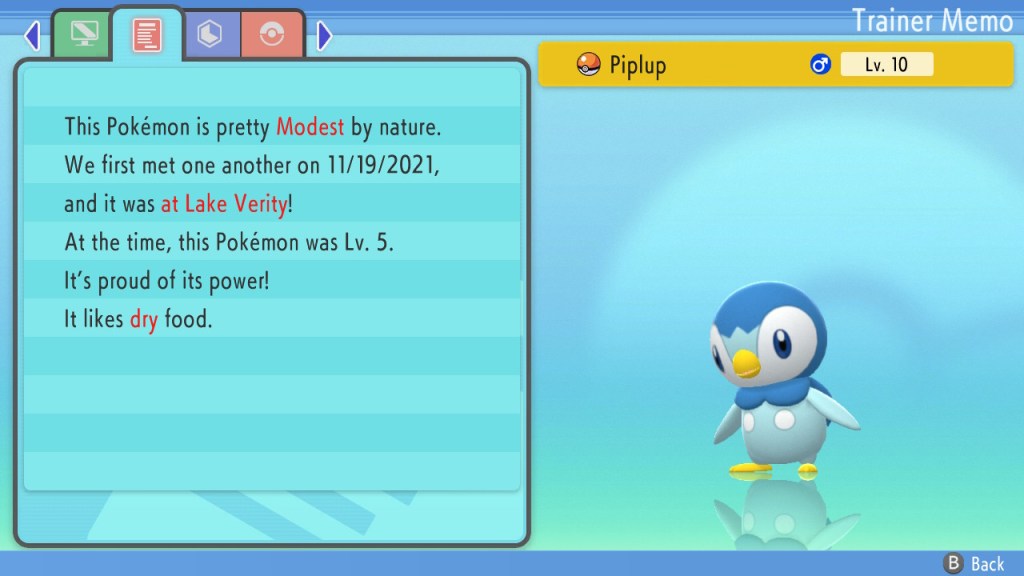
I don’t think you’ll really need to reset for a specific nature for your Pokémon (which gives an advantage for one stat and a decrease in another) unless you plan to play competitively online. Personally, I don’t play competitively, but still like to have my Pokémon with the “proper,” recommended natures. So I took the time to reset for my “Modest” natured Piplup. If you just want to chill out and relax while playing, you may want to keep auto save on. Choose what works best for you!
Pokémon HOME
After the recent promotions with Shiny Pokémon, I really had hoped that we would have been able to immediately transfer our Pokémon from previous games into Brilliant Diamond/Shining Pearl. Unfortunately, that feature will not be available until 2022. Pokémon HOME, the app used to transfer the Pokémon between your games through the cloud, allows you to store up to 30 Pokémon with the (free) basic plan. If you want to store more than 30 Pokémon, you need to pay for the premium plan. I try not to store my Pokémon in the cloud based HOME for too long. I usually pay for a month’s subscription when the new games become compatible, transfer all of my Pokémon to the newer game, and then cancel the subscription. So you may want to hold off on subscribing until HOME is up and running with Brilliant Diamond/Shining Pearl.
Legendary Freebies!


While we may not be able to transfer our Pokémon from our older games yet, you can still get our hands on the adorable Jirachi and Mew right now – provided that you have save data from the previous Switch games. If you’ve played Sword or Shield, you’ll receive Jirachi in game when you “speak to a gentleman in the flower field located on the southwest end of Floaroma Town.” For Mew, you’ll need save data from either of the Let’s Go games, and then speak with an elderly woman who is also on the southwest end of Floaroma Town. The official website does indicate that having save data from more than one of each qualifying game does not allow you to receive more than one of each Pokémon. Limit one per customer. 😉
Early Purchase Bonus

In addition to the Jirachi and Mew, you can receive a free Manaphy egg until February 21, 2022. This one doesn’t require you to have purchased prior games – you just need to redeem the Mystery Gift to acquire Manaphy! The website indicates that it will take approximately two hours for players to access the Mystery Gift function. Make sure that you don’t forget to redeem your free Manaphy before you can no longer do so!
Enjoy the new games! I know I sure am so far!
 Switch It On Gaming
Leave a comment